The free AI assistant for Chrome, Gmail & Google Docs
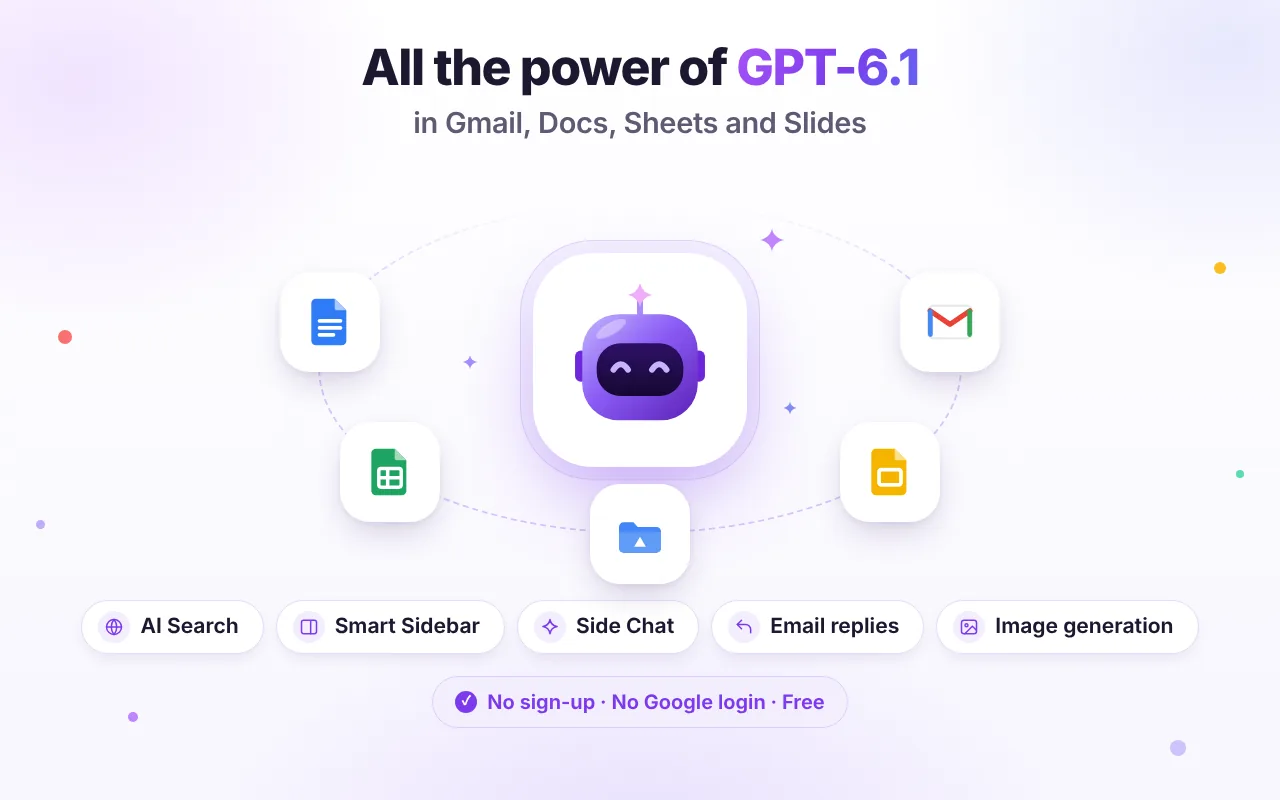
Chat with GPT-6.1 about anything — and get an AI helper right inside Gmail, Google Docs, Sheets and Slides. No sign-up. No Google login. No API key.
An AI helper that already knows what's on your screen
Open the side panel on any tab and ask. GPT-6.1 Workspace reads the email, document, sheet or page you're on — when you ask it to — and puts the answer back where you need it.
Reply to emails in one click
“Write with AI” sits next to Send. Get a thread summary, pick a suggested reply, adjust the tone and insert it into your draft.
Gmail AI assistant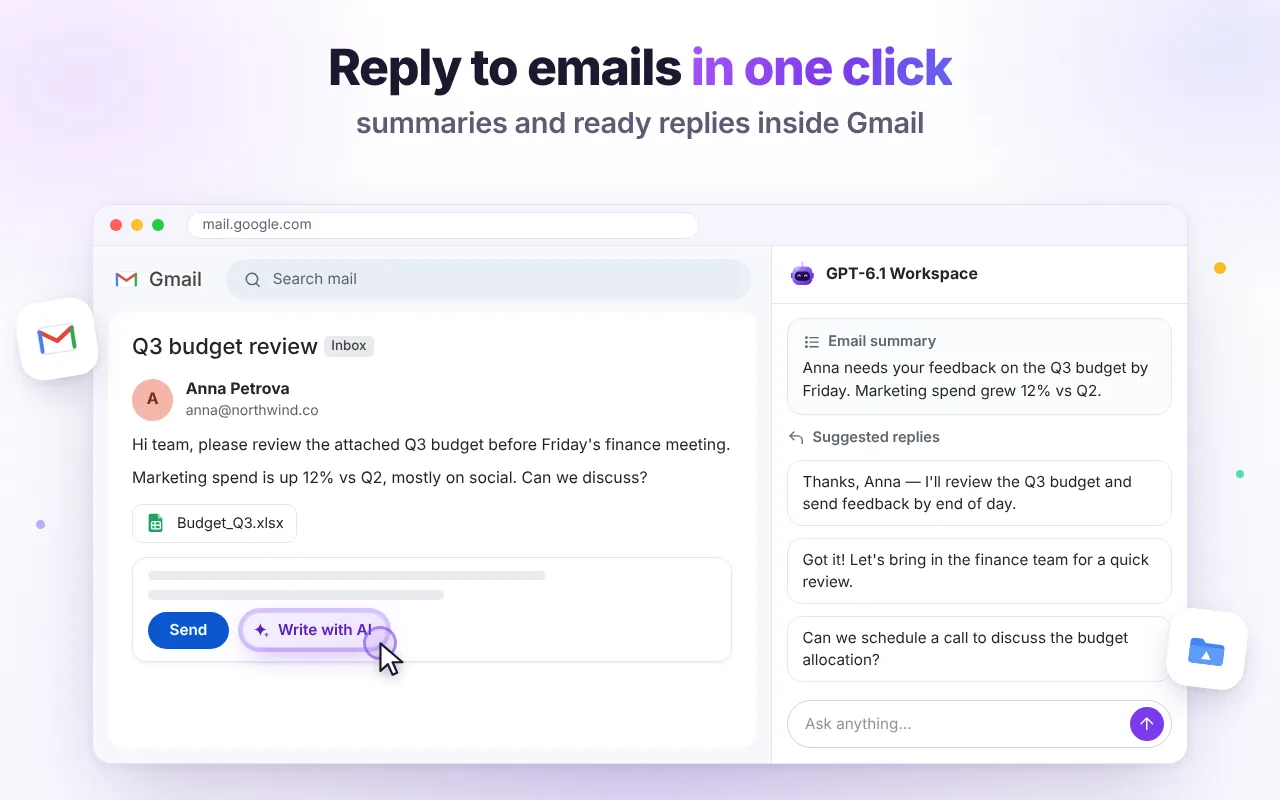
Write and edit inside Google Docs
Select a paragraph and improve it, continue writing, summarize or translate. Replace the selection or insert below — without copy-paste.
Google Docs AI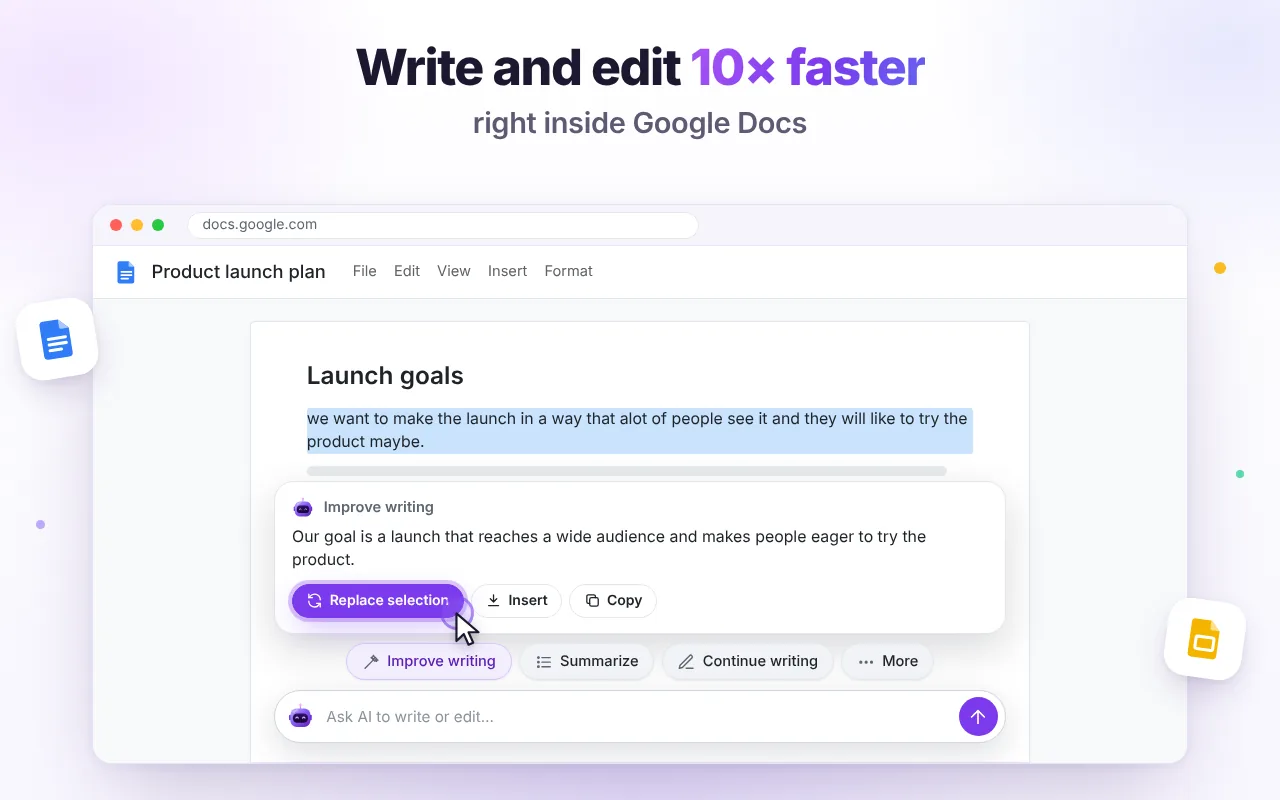
Clean and analyze data
Normalize messy rows, add totals, explain formulas and paste AI-built tables straight into Google Sheets.
Sheets AISpeaker notes in seconds
Summarize a deck slide by slide, write natural speaker notes and get ideas for slides that are missing.
Slides AIAI Search with sources
Fresh answers from the web with clickable citations — plus image generation in 1:1, 16:9 and 9:16.
AI Search & imagesA ChatGPT-style AI chat — on every website
Ask anything: explain a topic, write code, brainstorm, plan, translate. Summarize the page you're reading, attach PDFs and screenshots, talk with your voice, create custom assistants — then open the chat full-screen when you need more room.
AI chat sidebar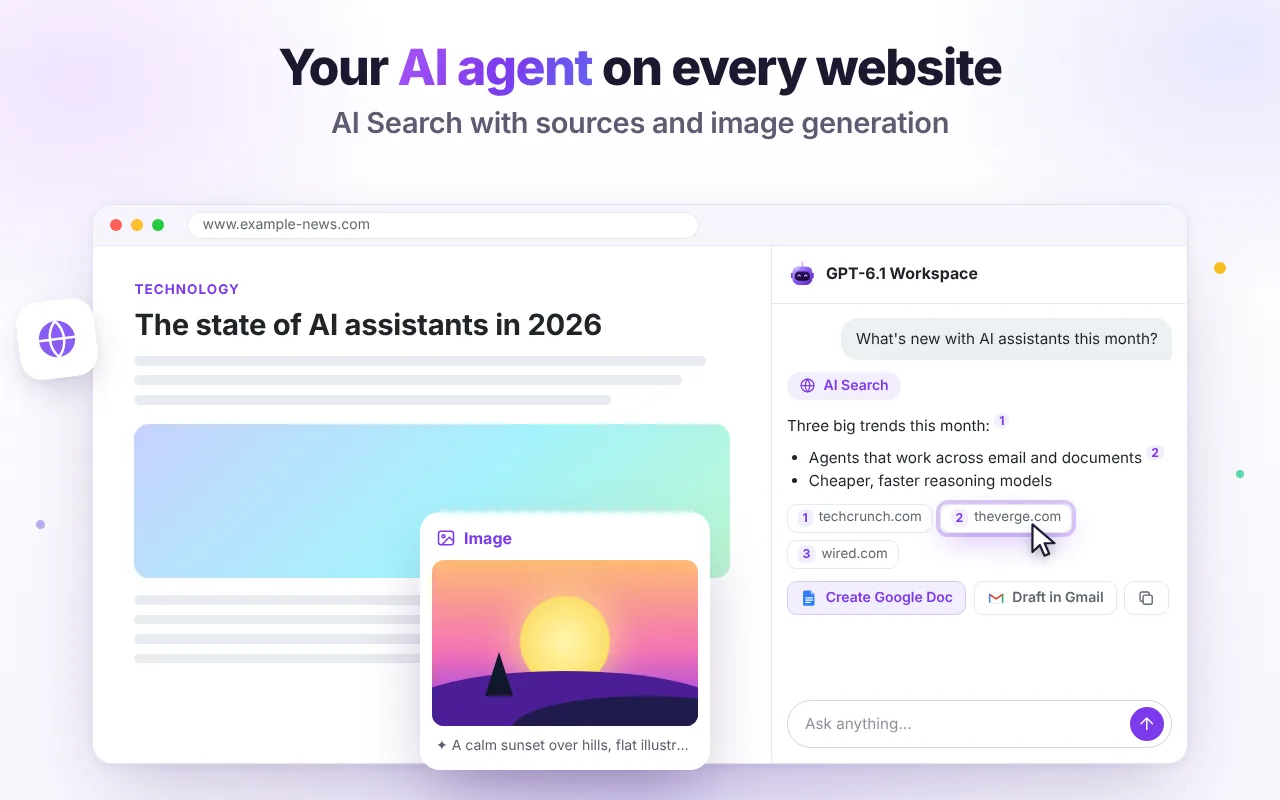
Built for the apps you use every day
Real screens from the extension. Pick a tab or let it play.
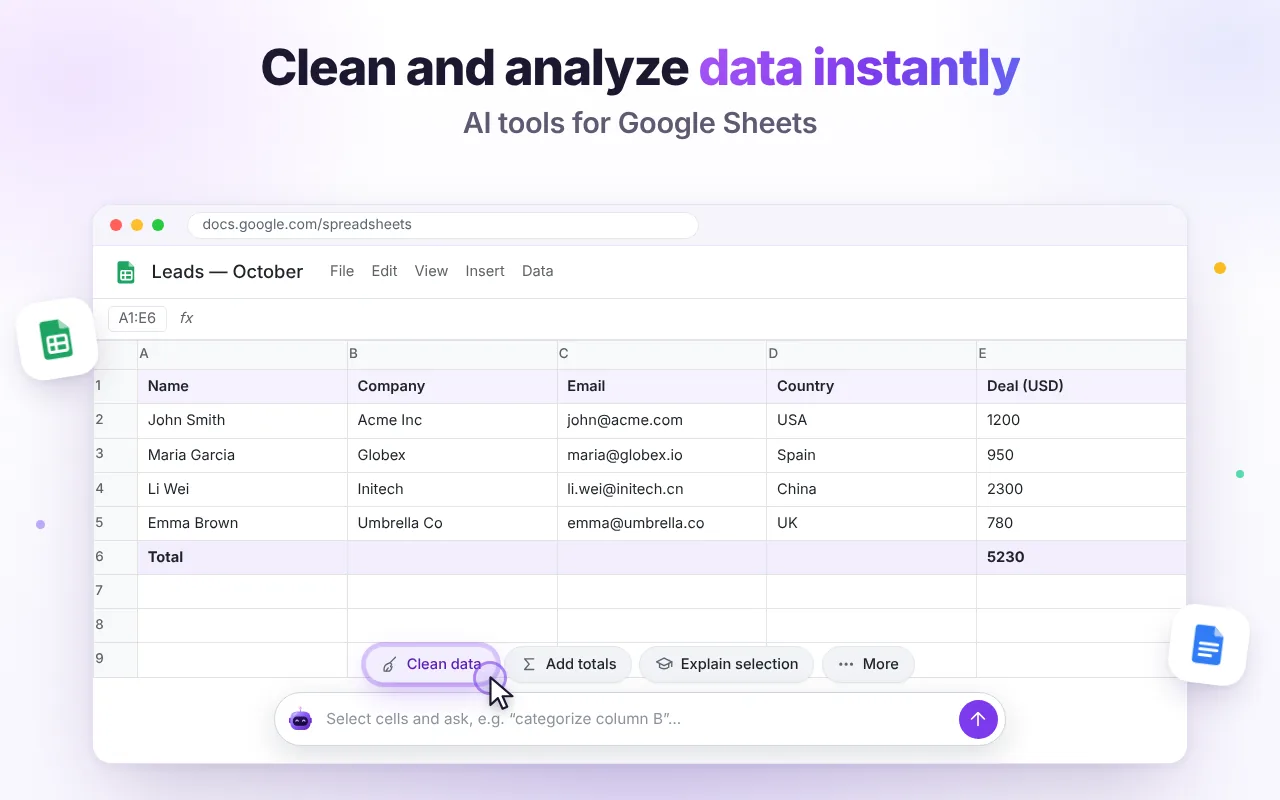
No account. No setup. Just ask.
Add it to Chrome
Install GPT-6.1 Workspace from the Chrome Web Store and pin it to the toolbar.
Open any tab
Gmail, a Google Doc, a sheet, a slide deck or any website. Press Alt+Shift+G or click the robot.
Ask or click an action
Summarize, reply, rewrite, translate, analyze — and insert the result where you're working.
Why not just use ChatGPT, Gemini or Copilot?
They're great tools. GPT-6.1 Workspace is built for one thing: AI help inside Chrome and Google apps without accounts or subscriptions.
| What you get | GPT-6.1 Workspace | ChatGPT (website/app) | Gemini in Gmail & Docs | Microsoft Copilot |
|---|---|---|---|---|
| Works inside Gmail, Docs & Sheets tabs | Yes, side panel + in-page buttons | Separate app; copy-paste or connectors | Yes, built in | Focused on Edge & Microsoft 365 |
| Account required | No account | OpenAI account | Google account + eligible plan | Microsoft account for most features |
| Price to start | Free, 60 messages/day | Free tier; paid plans | Depends on Google plan | Free tier; paid plans |
| Works on any website in Chrome | Yes | Via its own extension/app | Gemini in Chrome, where available | Best in Edge |
Other products change often — last reviewed October 2026. Check their official sites for current features and prices. See detailed comparisons →
Questions, answered
Is GPT-6.1 Workspace free?
Yes. There is no subscription and no payment. Each install gets 60 AI messages and 10 generated images per day, reset at midnight UTC. See Pricing for details.
Do I need to sign in with Google or connect my account?
No. The extension never asks for your Google password or Google API (OAuth) access. It works with the Gmail, Docs and Sheets tabs you already have open in Chrome, and reads a file only when you ask it to.
Is this ChatGPT?
No. GPT-6.1 Workspace is an independent Chrome extension. It uses OpenAI GPT-6.1 models through an API, but it is not made by OpenAI and is not the ChatGPT app. Read the honest comparison with ChatGPT.
What happens to my emails and documents?
Only the content you choose to include is sent to our server and the AI provider to generate the answer. We don't store it, don't sell it and don't use it for ads. Your chat history stays in your browser. Details are in the Privacy Policy.
Which languages does it support?
The interface is available in English, Russian, Spanish, Portuguese, French, Italian, German, Hindi, Japanese and Chinese, and the AI answers in the language you write in.

Your AI assistant is one click away
Free, private by design and ready in every tab. Install GPT-6.1 Workspace and ask your first question in seconds.